Ever pasted a long vendor contract into Claude, gotten a sharp answer, then asked a follow-up question and watched the AI completely lose the thread? Or noticed your member communications suddenly sound off-brand after a long editing session—and couldn't figure out why?
You're not imagining it. There's a simple, mechanical explanation. Once you understand it, you'll get better results and stop blaming the tool when it's really just a workflow problem.
What Is a Token?
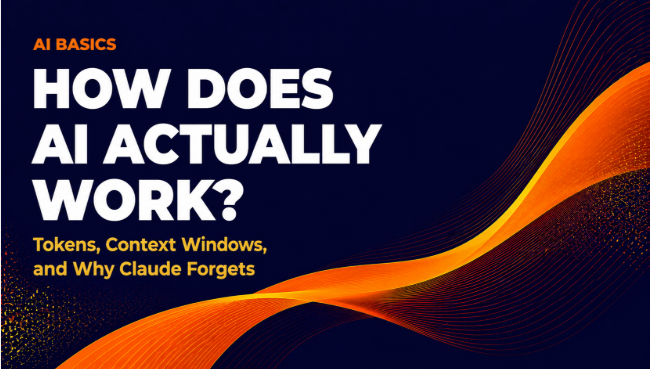
AI models don't read words the way you do. They break text into small chunks called tokens. A token is roughly four characters of English text—sometimes a whole short word, sometimes just part of a longer one.
"Member" is probably one token. "Creditworthiness" might be three or four. Spaces, punctuation, and numbers all count too.
This matters because AI models have a hard limit on how many tokens they can process at once. That limit is called the context window—and it explains most of the strange behavior your team runs into.
Think of it like a whiteboard in your conference room. Everything the AI knows about your current conversation has to fit on that whiteboard. Once it's full, something gets erased to make room for new content.
What Is a Context Window?
The context window is the total amount of text an AI model can "see" at one time. That includes your prompt, the AI's previous responses, and any documents you've pasted in. It's measured in tokens.
As of 2025, context windows vary widely by model and pricing tier. Claude's larger models support windows in the hundreds of thousands of tokens. GPT-4o sits in a similar range. Smaller or older models cap out much sooner. Verify current limits directly with each provider—these numbers change frequently.
The context window is the AI's entire working memory for your conversation. Once it's full, older content doesn't get archived. It disappears.
Here's the key mechanism: every time you send a new message, the model re-reads the entire conversation from the top, up to the context window limit. It's not like talking to a colleague who remembers your chat from last week. It's more like handing someone a printed transcript of the conversation every single time you ask a question—and once that transcript gets too long, pages start falling off the beginning.
When the conversation exceeds the window, older messages drop off silently. The AI doesn't warn you. It just loses access to whatever fell off the edge.
That's why Claude "forgets."
Why Does This Matter for Credit Union Work?
Your loan ops team is using Claude to review a core conversion proposal. The document is 40 pages. They paste in the whole thing, ask a few solid questions, get useful answers. Then, 20 messages deep, someone asks about the exit clause language from the opening section. By that point, the early pages may have scrolled out of the context window. Claude gives a vague or wrong answer—not because it's broken, but because it literally can't see that section of the document anymore.
Or your CMO sets up a long ChatGPT session with detailed brand voice instructions at the top, then works through several member email drafts over an hour. At some point, the brand guidelines fall out of context. The outputs start sounding different. Nobody knows why.
Understanding context windows turns those confusing moments into diagnosable, fixable problems instead of reasons to distrust the tool.
How Do I Work Around Context Window Limits?
You don't need a developer for this. A few habits make a real difference.
-
Start fresh conversations for separate tasks. Don't try to handle your board memo, your member survey analysis, and your examiner prep in one long thread. Each task gets its own conversation. Clean context, better answers.
-
Paste only what's relevant. If you're reviewing a 50-page vendor proposal, don't dump the whole thing in at once. Pull the sections that matter for your specific question—pricing, SLAs, exit clauses—and paste those. Focused context gets sharper answers.
-
Restate key instructions in long sessions. If your team is working through an extended editing session and the AI starts drifting from your original guidelines, re-paste the key instructions. It's not a bug. It's just how the whiteboard works.
-
Use tools built for long documents. NotebookLM, for example, is designed specifically to let you upload documents and ask questions across them without running into the same context window pinch. For use cases like summarizing board packets or comparing core vendors, it's worth a look. (There's a dedicated post on NotebookLM elsewhere in this series.)
-
Break big tasks into smaller prompts. Instead of asking Claude to "review this entire lending policy and flag every compliance concern," ask it to work section by section. You'll get more reliable answers and a cleaner audit trail.
What About Hallucinations? Is That the Same Problem?
Not exactly—though both can look the same from the outside.
Context window issues show up as the AI forgetting something specific you already provided. Hallucinations show up as the AI inventing facts it was never given at all—a made-up regulation, a statistic that sounds plausible but isn't real, a policy that doesn't exist.
The fixes are different. Context window problems call for better conversation structure. Hallucinations call for verification, especially for anything regulatory or member-facing. Your compliance team should always review AI-generated content that touches member communications, loan disclosures, or examiner-facing documents. Consult your compliance team before using AI-drafted content in any of those contexts.
Tokens Also Affect Your Budget
Most AI platforms charge by token—both what you send and what the AI generates back. If your team is pasting enormous documents into every prompt, that adds up.
This becomes a real budget conversation if your credit union is evaluating an enterprise AI license or building any internal tool on top of an AI API. Pricing models vary by provider and tier—verify current pricing directly with your vendor before you build token costs into a budget. As of 2025, pricing structures are still shifting across the major platforms.
Understanding tokens isn't just an intellectual exercise. For credit unions thinking about AI at scale, it's a cost management conversation your CFO will eventually want to have.
What's the risk?
For the workflows described in this post—understanding how AI works, structuring prompts, managing conversation length—the risk is low. You're not exposing member data to get value from these concepts. The main risks emerge when your team starts pasting real member information, NPI, or sensitive financial data into a general-purpose AI tool without a clear data handling agreement in place. If your loan ops team is feeding actual member records into Claude or ChatGPT to test these techniques, stop and talk to your compliance officer first. Consumer AI tools are not designed for NPI handling, and your examiners will ask.
Hallucination risk is real and worth naming plainly: AI models can generate confident-sounding wrong answers, and context window exhaustion can make that worse by silently removing the source material the model needed to get it right. For internal brainstorming, first-draft writing, and training materials, the risk is manageable with human review. For anything member-facing, regulatory, or loan-related, treat AI output as a first draft that requires a qualified human sign-off—not a finished product. The good news is that the workflow habits described above (shorter sessions, focused context, fresh conversations per task) reduce both cost and accuracy risk at the same time.
This post was drafted with AI assistance and reviewed by a human at CU 2.0. AI makes mistakes; verify any specific claim before acting on it.
Frequently Asked Questions
What is a context window in AI?
The context window is the maximum amount of text an AI model can process at one time, including your prompts, the AI's responses, and any documents you share. Think of it as the model's working memory for a single conversation. Once the conversation exceeds that limit, older content drops off silently and the AI can no longer reference it.
Why does Claude seem to forget things I told it earlier in a conversation?
Claude re-reads the full conversation from the start each time you send a message, but only up to its context window limit. When a conversation grows long enough, the earliest messages drop off the edge and become invisible to the model. The AI isn't broken—it simply can't see content that has fallen outside its window.
What is a token in AI, and why does it matter for credit union teams?
A token is a small chunk of text—roughly four characters of English. AI models process and price their work in tokens, not words or pages. A longer document uses more tokens, which affects both how much of a conversation the model can hold in memory and how much your credit union pays if you're on a usage-based or enterprise API plan.
Is a context window problem the same as an AI hallucination?
No, though both can look like the AI giving a wrong answer. Context window issues happen when the model loses access to something you already provided. Hallucinations happen when the model invents information it was never given—such as a made-up regulation or a non-existent policy. The fixes are different: better conversation structure for context issues, and human verification for anything factual or compliance-sensitive.
How should credit union teams manage context window limits in daily AI use?
A few practical habits help: start a fresh conversation for each separate task, paste only the relevant sections of long documents rather than the full text, restate key instructions if a session runs long, and break complex reviews (like a lending policy audit) into section-by-section prompts. For large documents such as board packets or vendor contracts, tools like NotebookLM are designed specifically for long-document question-and-answer work.
Want to Dig Deeper?
CU 2.0 works with credit union executive teams—at institutions of every size—to build real AI fluency, not just awareness. Whether your team is still figuring out prompts or ready to automate workflows with Claude and custom tools, we meet you where you are. We'll help you go from curious to capable, step by step. Book a call to talk through where your credit union is on the AI journey.
This post was drafted with AI assistance and reviewed by a human at CU 2.0. AI makes mistakes; verify any specific claim before acting on it.